
I’m updating my data journalism textbook for a second edition, which means I need to make sure I’m editing the most recent version. I started by scanning a chapter, then spot-checking, then realizing I should probably use a computer for this.
The best tool I found is called Draftable and is geared toward lawyers, corporations and the like. That means it’s paid, unfortunately. But Draftable does offer a free online version that can compare documents up to 20MB.
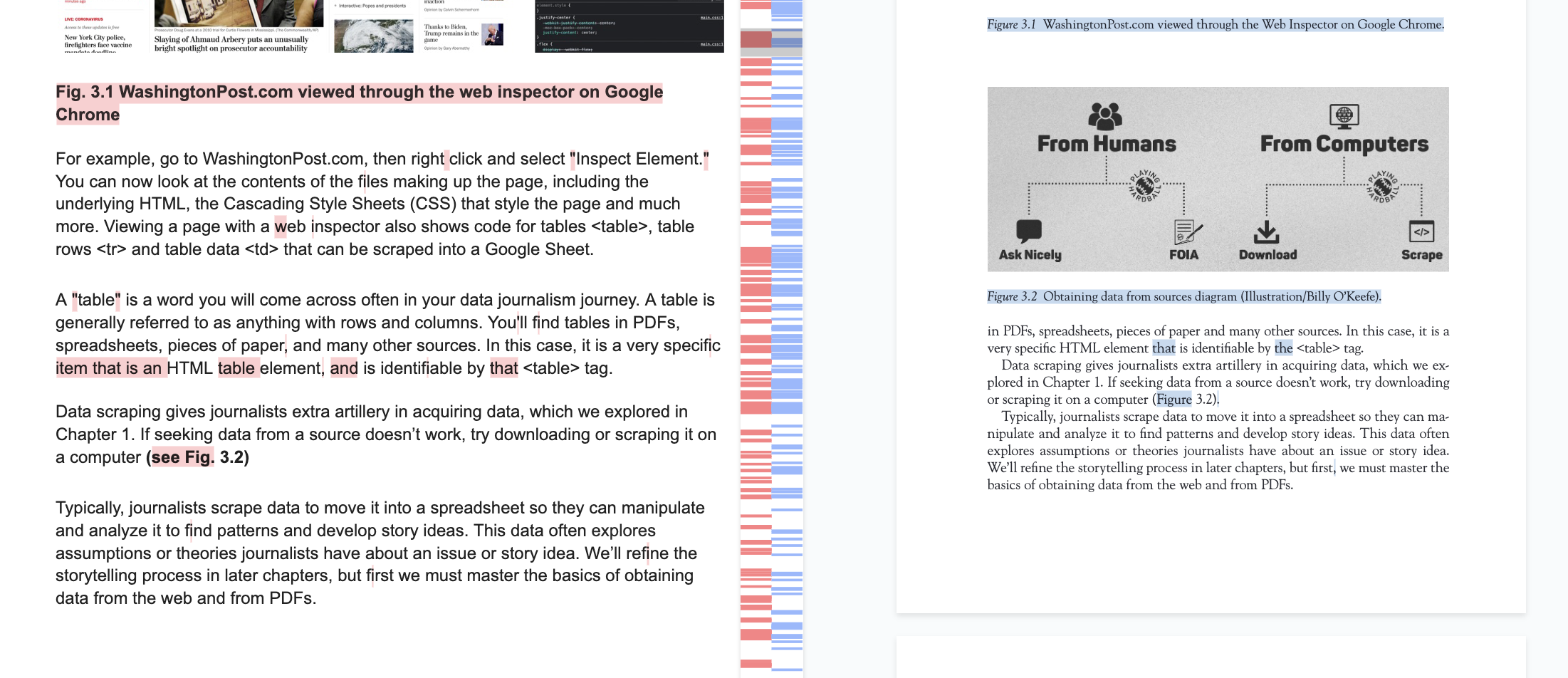
If your docs are bigger than that (mine were), you can use a document or PDF tool to resize them. Draftable can handle PDFs, Word docs, plain text, even spreadsheets. It spits them out in a neat, easily understandable highlight system of red and blue.
Draftable is not the only tool that can compare texts. ChatGPT can, but I didn’t want to give my book to ChatGPT so it can plagiarize me. Google Pinpoint can, but it just summarizes the differences.
Draftable offers better promises of security/privacy, and can run even more securely with the paid desktop app. Don’t skim anymore, reporters!