
Hi, reporters! Differentiating AI-generated from non- is tough and getting tougher. Rather than sharing tools that “detect AI,” which I think go out of date more and more quickly, let’s try a method: looking at a video frame by frame.
If you have tried to distinguish AI videos before, you may have heard of this trick: slow down a video to frame by frame, especially if you notice anything unusual or otherworldly.
For example, let’s look at this music video accused of being AI. The statue is holding an instrument, a triangle, but for a split second, it grows an extra dimension:
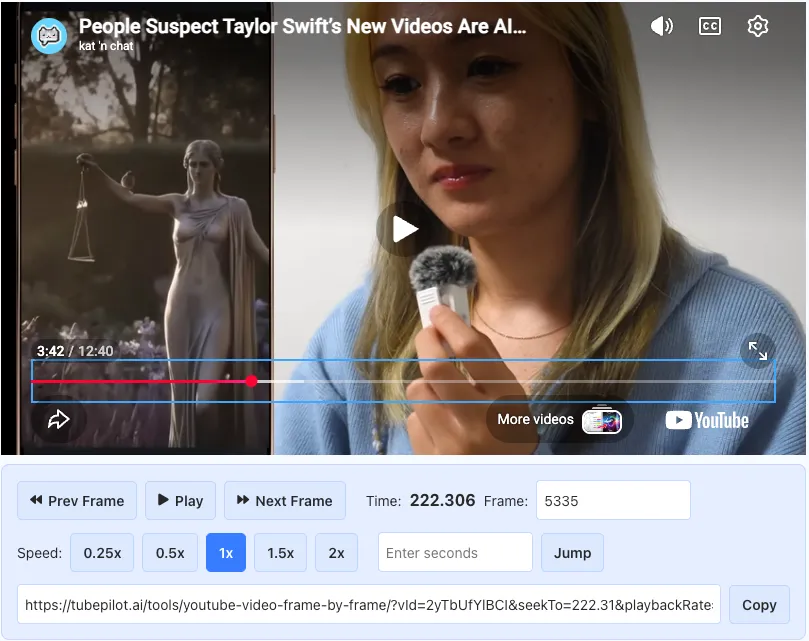
This is the exact kind of thing you might want to look at frame by frame. Because that’s a pretty simple move in video editing, there are many tools for this.
WatchFrameByFrame has good SEO but doesn’t always load the right video. TubePilot is my favorite so far because of its no-frills interface (see the screenshot above). Anilyzer has the same buttons, but overshadows the video image. I even found a tool specifically for skateboarders.
On YouTube, you don’t even need a special tool: just use the period or comma key on your keyboard. I’m sharing all these because, in my experience, these simple one-task resources get created and then taken down pretty regularly. But the method – looking frame by frame – will not. Slow down those videos, reporters!
One more thing...
Did you miss the last TFR? Use Rolli, a journalist-created tool, to analyze feelings about a topic on social media