
Hi, folks! I try not to do too many data tricks and techniques on here, but Fuzzy Lookup is a fun one that should be helpful even if you aren’t a data nerd yourself.
Fuzzy Lookup finds “fuzzy” matches in your dataset – that is, data in different cells that sort of match, or are close. It gets its name from VLOOKUP, a way to find exact matches across different columns of a spreadsheet.
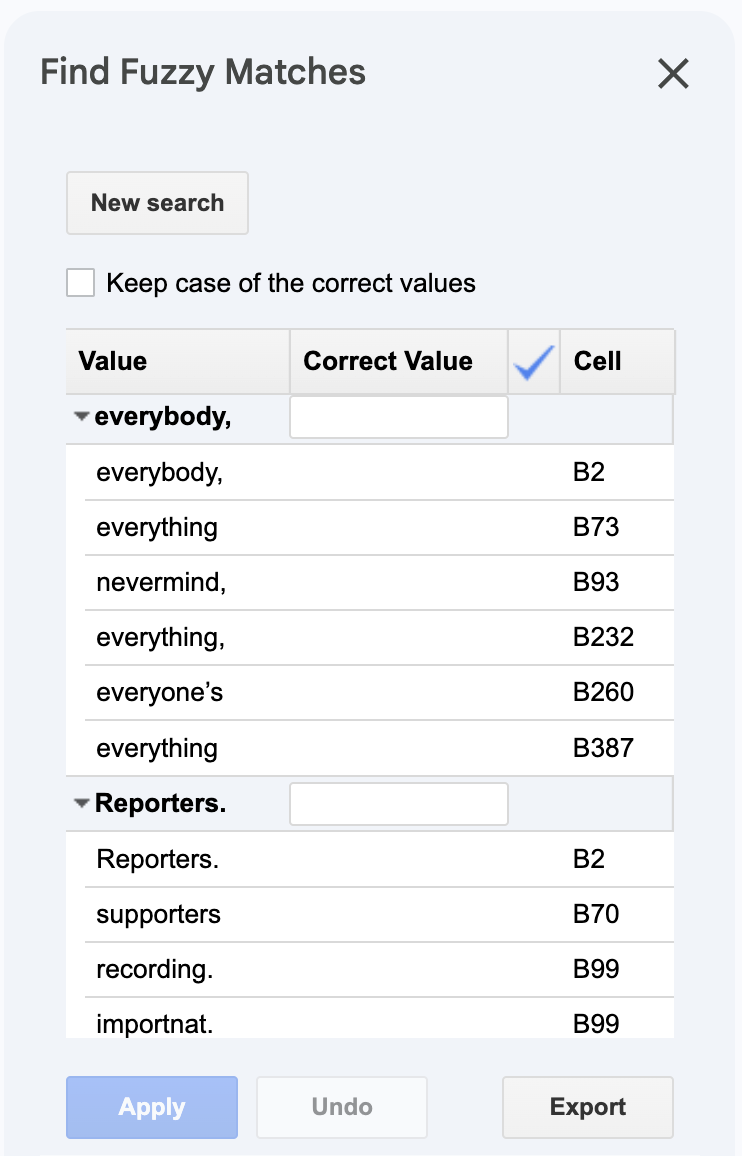
To do it, you would need to install the Fuzzy Lookup Add-In if you use Excel, or Find Fuzzy Matches or a similar extension if you use Google Sheets.
It can be great for finding misspellings, alternate spellings or even just typos. For instance, it might detect that the rows “Mr. Andrew Hill”, “Hill, Andrew R.” and “Andy Hill” all refer to the same underlying entity, returning a similarity score along with each match. It’s sort of a low-stakes alternative to OpenRefine.
This way you can find matches, group and batch edit them all together. Always remember to clean your data, reporters!
One more thing...
Did you miss the last TFR? Use a “dork” – an advanced search query to find files online